All posts by David Todd

Typing Edits

The last two nights the only writing work I did was type edits on my novel-in-progress, Headshots. The manuscript is currently at 220 pages, 62,000 words. About three weeks ago, maybe even a month, I printed the file and began reading through it, trying to remember all the plot lines and figure out what I needed to do to make sure nothing was lost.

I finished that reading and editing a week or so ago. Two new scenes were obvious to me to continue one plot thread that I had left hanging. I wrote them, and that brought the manuscript up to 225 pages and 64,360 words. But there it sat as I worked on book covers and other things, not necessarily writing-related.

Finally, Wednesday evening I found a little time to begin typing the edits. I think I got about 50 pages done then, and another 70 last night. That’s good progress, but it also means I have another 100+ to go. It’s tedious work. The edits are marked on the manuscript. I have to find the place in the computer file, type the edit, and mark it out on the manuscript. It’s not at all hard; it just takes time.

Then today, in my pre-work time, I decided to type edits to another book I wrote, A Harmony of the Gospels. I recently re-read this, for my morning devotional time. In doing so I found a few typos, and realized I had never changed the format of some footnotes as I’d intended to do. This morning I got all that done, a number of changes over 100 pages. I see that I also have some edits to type in the Passage Notes and Appendixes. I’ll perhaps begin work on those next week.

Edits typing is somewhat mindless work. Sometimes it takes a little more concentration, such as when the reason for the edit isn’t obvious, and I have to re-read the manuscript to gain some context. Occasionally, with my novel, while typing the edit I notice something else that should also be taken care of, and the edit is more extensive. Still, even with those times, typing edits isn’t likely to stimulate the brain to think great thoughts.

Last night I was interrupted by a Facebook contact from a high school friend of my sister, and we talked a bit. Otherwise I concentrated fairly well. A hundred some odd pages to go, and the edits will be done. I should be able to do that tonight and tomorrow. then I can begin writing the ending. Much of that has run through my mind in detail, so I don’t think I’ll have too much trouble getting that out—depending on whether I feel the need to add a little more to any given plot thread. Except for a trip that’s coming up, I’d say I should be done with the book in three weeks. Let it sit a couple of weeks, edit it again, type the edits, get feedback from beta readers, type that, and I’ll be ready to publish. Hopefully that can all happen before the end of June.


 

My FB Ad Campaign

I can’t remember if I reported here, or only on my FB author’s page, that I received a $50 coupon from Facebook to use on an ad campaign. Prior to receiving that I had done a bunch of clicking on FB ad pages, going through the motions of placing an ad, but not really intending to. I just wanted to see how easy it would be. They [FB] of course knew about my clicks and thought “Ah ha! Someone who wanted to place an ad but stopped short. Let’s give him a coupon to run a small campaign, and we’ll have another advertiser.”

The coupon would expire in a couple of months, so even though I had nothing newly published worth advertising, I decided to go ahead and test the waters. I began the campaign on March 23 and set it to end on April 12. At any point I could change the ending day. Putting the ads together wasn’t actually difficult. It was all menu driven. Type in a title, some text, upload a photo, decide what the action is you want people to take, decide how the ads will be paid, click finished, and poof! Your ad is live. That sounds easy, but at many steps along the way I found I didn’t really understand what I was doing.

FB Ad Campaign SampleI decided to advertise my most recent novel, Operation Lotus Sunday, and an earlier novel, Doctor Luke’s Assistant. Then I decided to also include The Candy Store Generation in the campaign. The last few days I decided to add an ad for Documenting America. When I did the ad for OLS, I decided I wanted two photos in the ad. I uploaded the front cover, then uploaded the back cover picture. Unfortunately, I didn’t know FB interpreted that as two different ads and, through the course of the campaign, the back cover photo ad was used much more than the front cover one.

  • Here are the stats from the campaign, as reported by FB.
  • Reach 31,355 (times the ads were seen)
  • Website clicks 135
  • Frequency 1.21 (no. of times a person saw the ads)
  • Avg cost per website click $0.37

And, the statistics reported by me:

  • Books sold: 1

FB Ad Campaign ResultsYes, during the ad campaign I sold only one of those books via Amazon (the links included in the ad), an e-book copy of DLA. So $50 spent generated $4.99 in sales, and less than that in revenue. I’m glad I wasn’t spending my own money.

Much of this process was uncomfortable. I could decide to pay for the ads by the website click, by impression, or another way. It’s interesting that my money lasted exactly till the end of the campaign. I’m sure FB’s algorithms knew how much per day I had to spend, monitored the actions being taken, and showed the ad more or fewer times according to how much budget and time were left.

The look of and information in the ads was limited, which was good, I guess, as I couldn’t have done much to spiff them up even if I wanted to. I’m not there on my knowledge of computer graphics.

One of the decisions I had to make was whether I wanted the ads associated with my personal FB page or my author page. I decided my author page. This really skewed my stats for that page. It went from “interacting” with about twenty to forty people a week (not all unique) to several thousand. Of course, FB was saying someone seeing my ad was an interaction. So for two weeks I interacted with thousands of people. Now, more than a week after the campaign, I’m back to twenty to forty a week, and the pages says that’s down 99.9% from a week ago.

The bottom line from all of this: I’m glad I wasn’t spending my own money. I don’t see myself ever running a FB ad campaign again, at least not until something happens that shows me it does some good.

More On Creating Book Covers

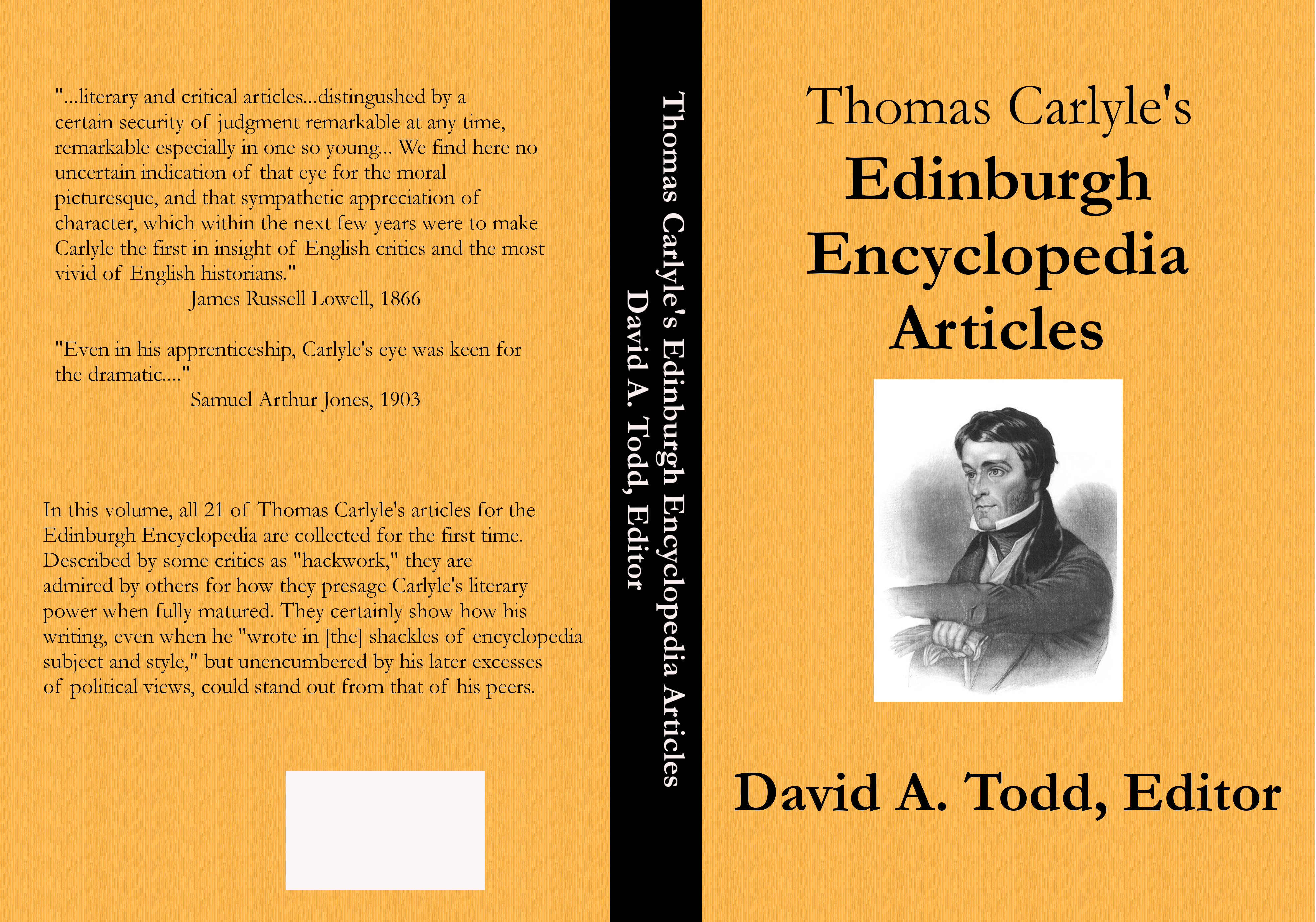
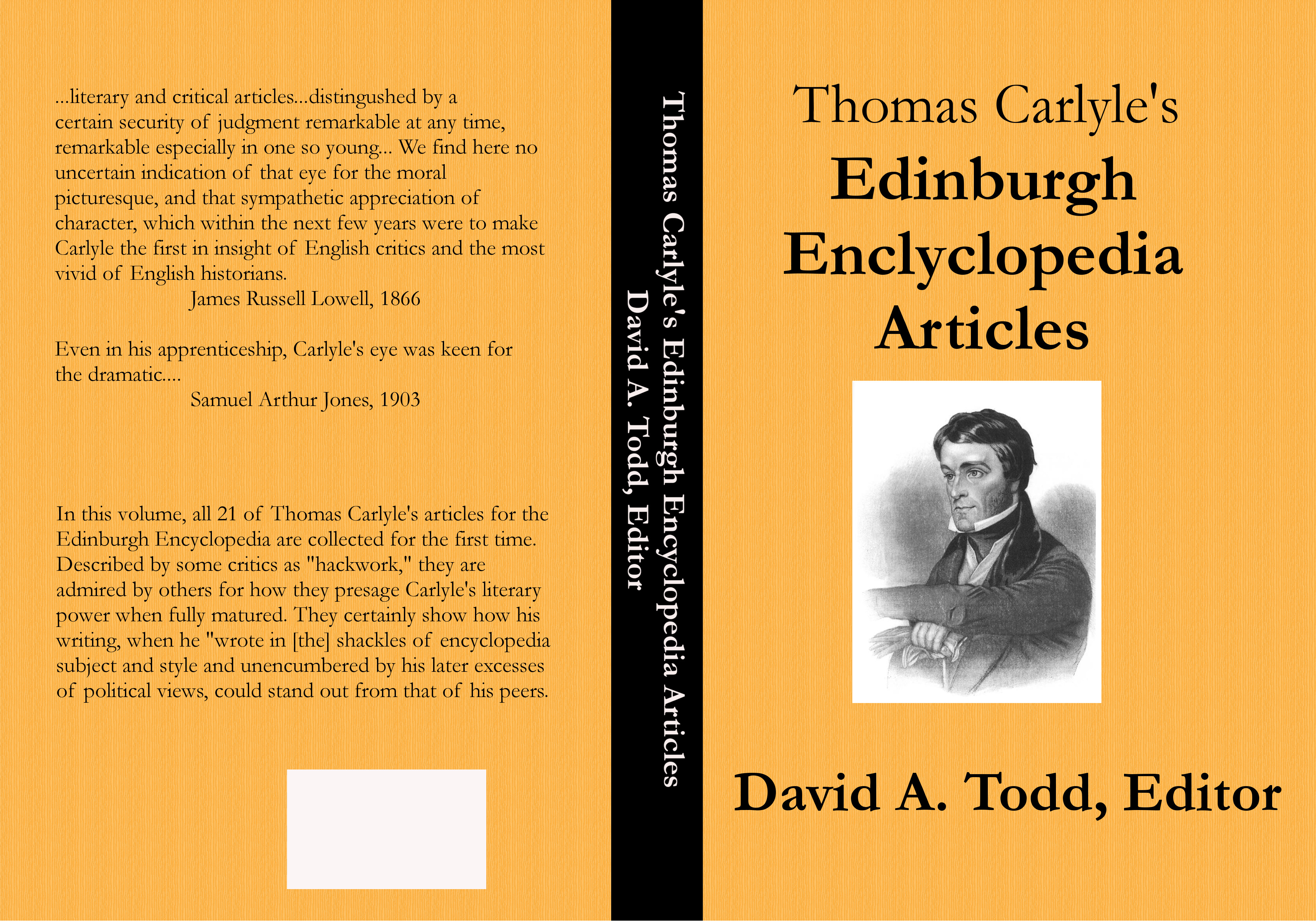
I now know enough about using G.I.M.P. to create book covers to be considered dangerous. Last night, on coming home from the office, since the wife was resting and there was no immediate need on either of our parts for supper, I went straight to The Dungeon and began tweaking my two latest book covers. The one for Thomas Carlyle’s Edinburgh Encyclopedia Articles about killed me to have to do, since it had been accepted on first submission. But the glaring typo right on the front cover had to be fixed. I also decided to add some quotation marks to the back cover.

I made the tweaks, saved it in three different file formats, and resubmitted it to CreateSpace. At the same time I resubmitted the interior of the book, which needed two typos corrected and a minor tweak to the margins. So here’s the final cover for TCEEA.

TCEEA print cover 01

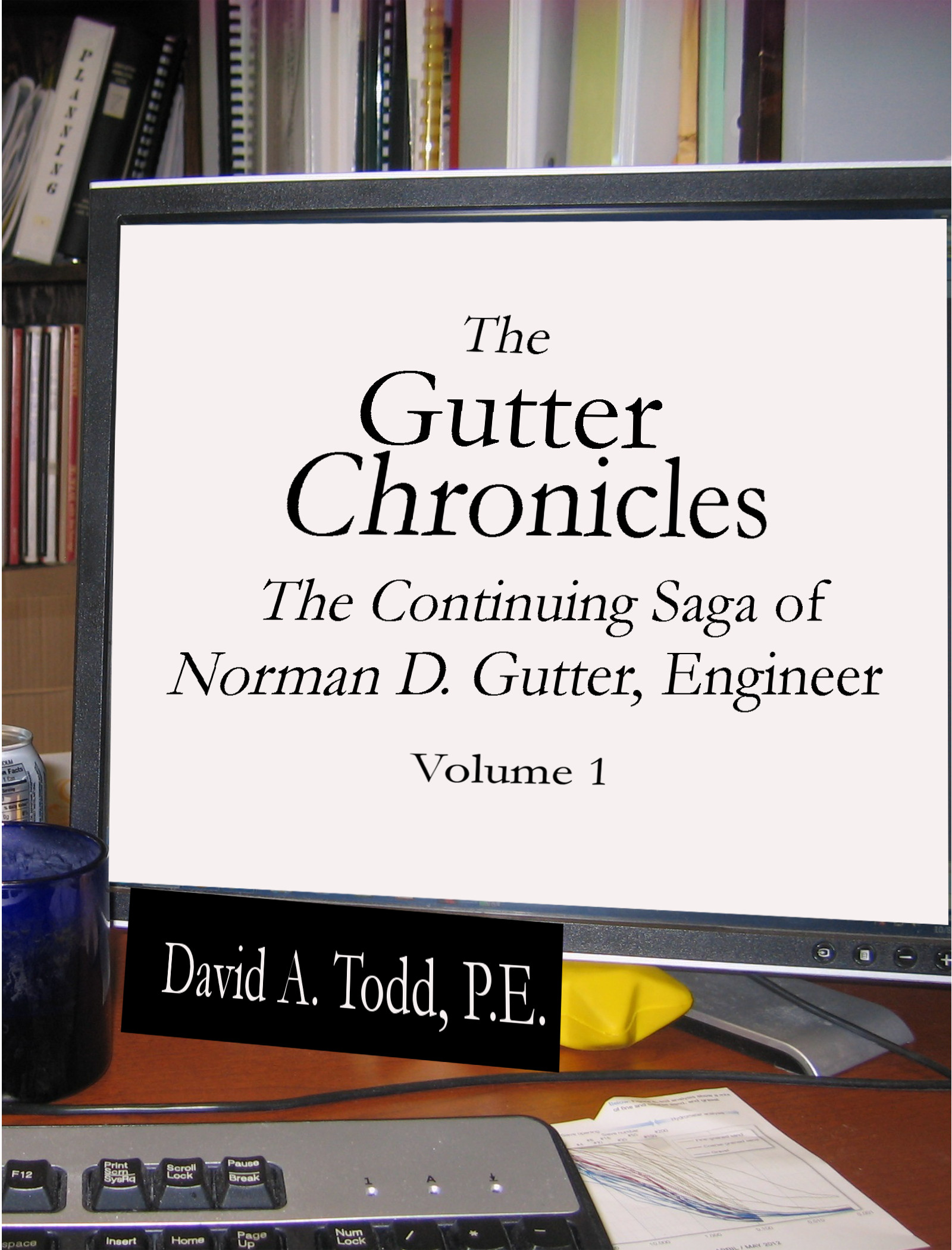
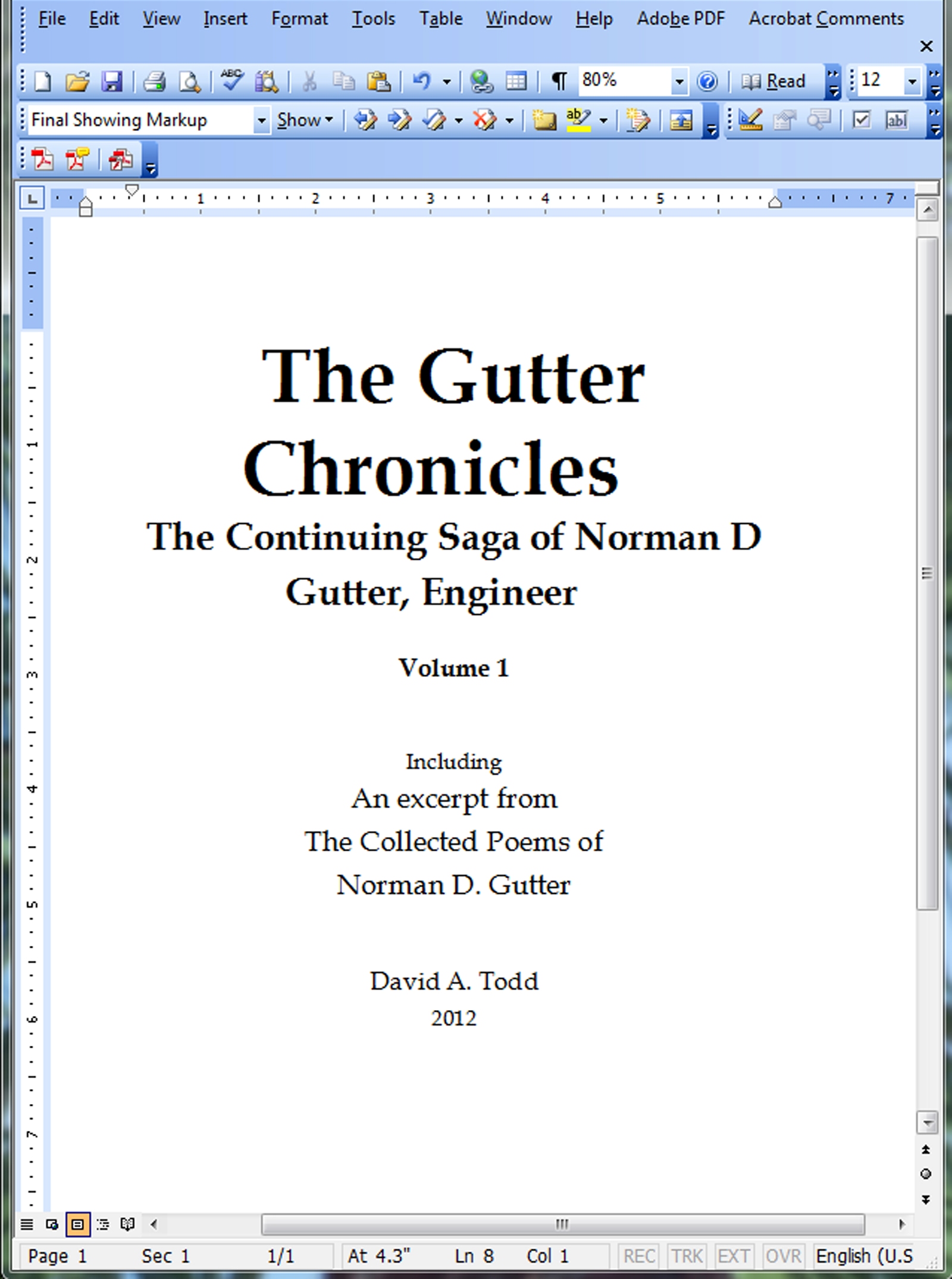
After that, I went back to the cover for The Gutter Chronicles. Even though it’s an e-book cover (at this point, at least) and thus should be easier than a print book cover, I’m finding it harder. The problem is the text I’m pasting over the photo of the computer monitor needs to be put in a double perspective view. It’s tilted back from bottom to top and from right to left. This looks like it should be easy with G.I.M.P. You just select the text layer, call for Transform Tools > Perspective from the menu, grab the four corners of the layers one at time, layer by layer, and click Transform.

The problem is, my text is in several layers. This is because the normal spacing between lines of text in a word processor (and the G.I.M.P. text entering window is a simple word processor) is too great for them to look good. Printers call this “leading,” and so I put each major line of text into separate layers (text boxes) and move them closer together than a word processor will allow. But then, in doing the double perspective work, I need to do that with each layer of text.

That wouldn’t be a problem, I imagine, if I understood what I’m doing. when I grab the corners and move them, a table of six numbers changes, the numbers going from zeroes to other numbers, some positive, some negative. The numbers are to five significant digits, and control of the mouse is such that getting the edges of the text in the right place is difficult. Fortunately you can undo and re-do to your heart’s content.

Of the five text layers, only one seems to be in exactly the right spot. So I wrote down the six numbers for that one, and went to work on the others, but the mouse control to get the numbers on those other layers to be perfect is impossible. And you can’t just click on the table and enter the perspective numbers you want. Thus, I have five layers of text, one at a perfect perspective and four at odd perspectives. Here’s where the cover stands now.

TGC-Vol 1 Cover

You can see how the lines of text aren’t all at the right perspective. My name on the “nameplate” is good, but the others are all askew. I’m sure G.I.M.P. has a way to handle that. There are Path commands, which perhaps allows one layer to have the same attributes of another layer. Maybe there’s a way to get into that table of perspective numbers and enter them, and—poof—the layer will go to exactly the right perspective. I’m still learning, and have much, much more to learn.

But, for now, this is the cover. And, I just sold a copy! I posted the new cover and link to the Kindle version on Facebook, and one of the women in our Accounting Department bought one. We’ll see where it goes from here. I must get back to doing some writing, and set covers aside for a while, but more work in G.I.M.P. is not far away.

Hindrances to Writing

I had great plans to have my baseball novel done and published in time for the start of baseball season, or at least at the end of the first month of the season. Alas, I’m not going to make it. In fact, at this point I’d say I’ll be lucky to have it done by the first of August. So many interruptions, so many demands on my time. I have a new appreciation for young moms and dads who try to write when they have young children at home. I don’t know how they do it.

Here are the things that have prevented me from doing much writing on my novel this year. Some of these are writing or writing related.

  • Reading with my wife. She has wanted us to read aloud together in the evenings. So on about five evenings a week, sometimes more, we’ve been reading aloud from the Harry Potter series. Now, I know, I know, I need to spend time with her. But being gone for work for 11 1/2 hours, including commuting, fighting traffic, coming home and having to pull something together for supper, I’m not really in a mood to take an hour out of the few evening hours for reading aloud. [/rant]
  • Income taxes take a lot of time. Between our stock trading business, my writing business, and my mother-in-law’s taxes, it seems like weeks of my evening time between Jan 31 and April 15 are consumed by these d—— governments of ours. Even now, on tax deadline day, I get to the office with the m-i-l’s forms having been e-mailed here for printing, and I find one of the forms is blank. I also forgot to bring with me the copies of income statements I’m supposed to attach. So what do I do: drive 15 miles home and get the things I need, or file a quick extension? Either way I’ll have to go my my m-i-l’s place and have her sign something, then take it by the P.O. Last weekend lost tax documents that came in the mail couldn’t be found, so I had to generate the information from bank statements, taking hours for what should have taken 2 minutes. But, going home may be in the cards, because…
  • The wife is sick, and we have our 3-year-old grandson staying with us. Yesterday I received an urgent call shortly after 1:00 p.m. She felt really bad, and could I come home and help watch Ezra. So I did, getting home around 2. Had I realized I hadn’t filled out that one tax form properly, or that I had never stuck those other documents in my portfolio to take to work, I could have used the time for that, but I didn’t realize it. And, just now, the urgent call has come in for today. It looks as if I have to leave work again. She was interrupted by another call, so I need to wait until she calls back to know for sure if I have to head home.
  • Various publishing tasks have taken my time, mainly learning how to make my own book covers because hiring it done is too expensive, given how few sales I have, and one can only beg and borrow so many from people before you demean yourself. That includes a talented family member who could easily do them, but seems uninterested in my writing career. At least that’s writing related. Last night, in the few minutes I had to myself, I made another tweak to the cover for The Gutter Chronicles and uploaded it. Hopefully this time it will pass muster and the book will be added to the Smashwords premium catalog.
  • Tomorrow I conduct a live webinar for the International Erosion Control Association. I’ll have an audience paying to hear what I have to say about erosion control. That is taking a lot of my time, and gives me no flexibility during the working hours. If I go home today, I’ll have to work on it from there, getting my last presentations done.

I could say a few more things, but it will come off as worse of a rant than it is. Maybe the second half of April will be better than January, February, March, and the first half of April. And, while this rant mentions family members, since none of them ever read my blog, I’m going to let it publish as is.

More on Learning G.I.M.P.

So I’m still working on learning G.I.M.P., and the whole process of creating book covers with graphics software of good quality, not with PowerPoint, which is borderline-suitable for e-book covers but not for print books. I downloaded the program, and at first sat there stunned at what I was looking at on the screen. Three windows, not touching each other, and no idea of what to do next.

As I’ve told people before, the only two things you really need to know about software is how to open the program and how to get help. I had the program open, and I had downloaded the user’s manual, so I opened that and started reading. The first twenty pages were about how the program came to be, who the creators were, and how to use it with various operating systems. Someone needs to know all that, I suppose; I just wanted to know how to create a book cover.

Eventually I came to some things I needed. How to create a new graphic image. How to manipulate the graphic once you had it open. I must confess to some impatience on my part. I didn’t read all that far into the manual before going back to the program and proceeding. I don’t know which way would have been faster for me. Normally I learn well from written instructions. The problem with these instructions, however, were they weren’t really explaining things. They assumed someone understood certain terms they were using. But I didn’t. So I decided to just dive in with the menu system and see what I could accomplish.

Slowly, mistake by mistake, my cover for the print version of Thomas Carlyle’s Edinburgh Encyclopedia Articles began to come together. Fortunately G.I.M.P. has very good “un-do” features (and re-do as well) that allow you to see exactly which step it was you did incorrectly and go back to how it was before that step. A lot of things I didn’t understand. Often I had to erase things I’d done and start over. Eventually I did ok, created the cover, submitted it, and CreateSpace said it met all specifications for a print cover. The first time! Yea!

Last night, with three-year-old grandson Ezra in the house (the third night now), I didn’t expect to get much done. But another cover I had to work on was for The Gutter Chronicles. Not a print cover right away, but an e-book cover. Smashwords didn’t like the one I had, and wouldn’t distribute the e-book to their premium catalog. Thus it won’t be for sale at places such as Barnes & Noble, Apple, Kobo, and others. The cover was this.

Gutter cover__2013-06-11

I had wanted to show a computer screen with a little bit of office showing around it, and the words of the book title and author name on the screen. I put the words on the screen, in the largest font possible, and took a couple of photos at high resolution. Unfortunately, the flash obscured the words on the screen. I should have figured on that. So I sweet-talked the Spiff Lady in the office to do that cover for me, and used it as a place-holder for a future cover. Since I’m learning G.I.M.P., the future is now. So last night, after Ezra went to bed, crying, I headed to The Dungeon and got to work. I had uploaded the photograph I wanted to use to Dropbox. My plan was to just paste the words I wanted over the computer screen, on a white background, to cover over the flash image and make it look like a computer screen. Of course, the screen was tilted backwards a little, and the camera was at a horizontal angle to the screen. This mean I’d have to put in something other than a rectangle, and that the words should also show this dual perspective.

That was both more difficult and easier than I expected. I thought I would have to jump through many hoops to make that happen, but a writer friend, Veronica Jones-Brown, who has created a couple of covers for me, said that this should be on the Transform menu, probably as “Perspective”. Sure enough it was. It took me a while to figure out how to use it, but I started to get the hang of it. I created the opaque white layer, sized it to match the computer monitor in the photo, dragged it to where it needed to be, and pulled two edges into the perspective needed. It wasn’t perfect, but it was close. Then I typed the words, in five separate text layers so that I could drag them where I needed them to be. Putting them in the same perspective as the monitor turned out to be difficult, and I don’t have it correct yet.

The other problem I had was that the monitor was too small, relative to the size of the full cover, to hold all the words and make them readable at small size. They would be okay at full size, but not in a thumbnail. So I decided to pull my name off the monitor, and create a black layer under the monitor to serve as a nameplate. I pulled it into perspective—not quite exact yet—and pasted my name in and pulled it to perspective as well. By this time I was a little handier with this perspective thing and the name looks good. I saved the graphic, and exported it also as PNG and JPEG files, saving them all to Dropbox. Showed it to the wife on my Nook, and she liked it.

So, here it is.

TGC Vol 1 - Cover

It’s not finished yet. Tonight, or this weekend, as Ezra allows, I’ll have to tweak it in several areas. The white line along the right side isn’t supposed to be there, and I need to improve the perspective on most of the layers. But, at this stage of my cover creation “career,” I’m not unhappy with this.

One thing I decided to do, at the last minute, was add “P.E.” to my nameplate. Non-engineers won’t understand, but engineers will, and that’s a good chunk of my target audience.

Learning GIMP

PowerPoint works well enough for e-book covers, but not for print book. The reason is PowerPoint produces graphics that will print at 72 to 96 dpi (dots per inch), whereas a print cover should really print at 300 dpi. And it’s not a matter of creating the cover in PowerPoint, loading it into a good graphics editor, and printing it like that. The dpi won’t increase to print quality. At least that’s as I understand it.

So my choices with regard to a cover for my current book I want to get into print, Thomas Carlyle’s Edinburgh Encyclopedia Articles, were:

– Do it myself; or hire it done.

– If I do it myself, use Photoshop Elements, which I have on our laptop; or buy a full-fledged graphics editor; or download a free graphics editor, such as GIMP.

– If I do it myself, with any of those three choices, I’ll also have to learn how to use the program.

Since I need to know how to do covers, and since my wife often travels with the laptop, or is otherwise engaged with it, I decided to download GIMP and use that to produce print covers. I’ve heard nothing but good things about GIMP, that it’s more than adequate for cover productions, and that everyone who’s used it has been please with it. But before, when I downloaded GIMP, I was actually at a site masquerading as GIMP, and got a nasty virus from it. This time I asked out I.T. people for a link to the correct site (since they have GIMP on their work computers, I knew they knew the right one). I downloaded it late last week, and spent a lot of time on Friday and Saturday trying to figure it out. Then last night I knuckled down, using the small amount I learned, and created a cover. Here it is:

TCEEA print cover 01

I’m not saying it’s great art, or that it will win any self-published cover awards, or that it’s even the one I’ll use. I lost the “pedestal” from the e-book cover, as I don’t see how to do that in GIMP (something to learn at some point). But I think today I’ll create a PDF from it and upload it to CreateSpace and see if it passes muster. If it does, I’ll at least use it as the cover for the proof copy.

Book Sales in March 2014

Another month, another time to report book sales. I could go with the good news first.

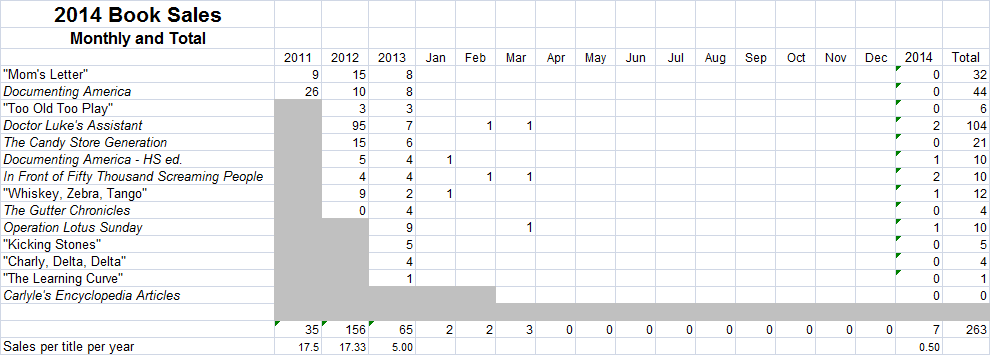
The good news is that my book sales increased by 50 percent over February.

The bad news is that means they went from 2 sales to 3 sales. I was more aggressive in talking to people about my books, and as a consequence I sold one copy of Operation Lotus Sunday, to a woman in my writers group. I also availed myself of the $50 coupon Facebook gave me for running ads, and have put four ads up. So far I’ve spent a little more than half the budget, have had 43 clicks to one of the book websites, and have had one sale of the advertised books. Whether that sale came from the ad I have no idea.

So, here’s the two tables, the big one for easy viewing and a smaller one to link to in my self-publishing diary at Absolute Write.

2014-03 Book Sales Table


2014-03 Book Sales Table 455x163

Beware the Introduction

Every non-fiction book needs one: an Introduction. A section that tells what the author’s purposes are with the book, what they hope to accomplish, what the reader will take away from it. Sometimes the Introduction is labeled as Chapter 1, but it’s still an Introduction.

I’ve read many books that have introductions, some short, some lengthy; some interesting, some boring. Sometimes the Introduction is the best part of the book. Sometimes the Introduction is so long it constitutes a book in its own right. I have a book on Old Testament pseudopigrapha, and the Introduction is about as long and as interesting as Leviticus. Then there’s the Introduction to Thomas Carlyle’s The French Revolution, which is the first chapter. It’s fairly long, but perhaps not in relation to this three-volume book. For sure it is dry reading, a hindrance to me getting into the book.

Introductions have proven difficult for many writers. I recall reading in one of Charles Lamb’s letters about his friend, George Dyer, who had written and published a book of his poetry. He had a long Introduction—80 pages sticks in my mind. When reading the proofs off the press, before actually releasing the book, Dyer found an error in the Introduction. Lamb doesn’t say what the error was, but since the type had been set, the Introduction couldn’t be changes. All Dyer could do was eliminate the Introduction and let the poems stand on their own. This he did, at his own cost, probably as much as the profits he hoped to gain from the book. Yes, writer, Beware the Introduction!

In my book Documenting America I had an Introduction. I did exactly what I described in the first paragraph. I included a quote from C.S. Lewis, even though the book was about USA historical documents. I thought it was pretty good: fairly short, describing why I was writing the book. For The Candy Store Generation the first chapter served as the Introduction. In this I gave the record of how the idea for the book came to me. The chapter was about the same length as chapters forming the main contents of the book. Again, I was pleased with it.

For my current non-fiction book, Thomas Carlyle’s Edinburgh Encyclopedia Articles, I took a long time to decide what to do about an introduction. First I uploaded the printer’s notice and editor’s Introduction from the 1897 book that included about half the total material in the book. That was a given activity. I knew I needed to do something more, but what? After considerable thought, I decided to pull in some apt quotes from a handful of Carlyle’s letters from the time when he began to write these articles. I also pulled in an important footnote from The Carlyle Letters Online. Those things gave me the ideas I needed to flesh out an Introduction, and I did so.

It’s not terribly long: about five pages for a 220 or so page book. It gives my reason for having published the book and the methodology I used. I avoided using the royal “we” in it, or avoiding first person all together and going with totally passive voice. So from that standpoint it doesn’t meet the criteria of a scholarly Introduction. But it’s mine; it does what I want it to; and the few people who I’ve shown it to have had few comments.

I have one more night of editing tasks on the e-book, and it’s ready then to upload to Amazon. It could be live and for sale a day and a half from when I post this. Then it will be on to other things, things that don’t need an Introduction.

My First Ad Campaign

Not too long ago, I decided to go through the motions of placing an ad for my books on Facebook. I went through the clicking process, saw what was involved, learned a little, then closed out of it. FB, of course, tracked my clicks. A couple of weeks later I received an e-mail from FB, saying it looked like I had tried to place an ad, and giving me a $50.00 coupon for an ad campaign, with a deadline of April 16.

I let this sit there a few days, not really believing it, and not having time to go back and figure the creating an ad process all over again. Finally, on Sunday afternoon, I put writing tasks aside and decided to get on with using the coupon. I clicked on the link provided in the e-mail, and an appropriate page came up.

I decided to advertise Operation Lotus Sunday, it being my latest and probably my best novel. I also planned to use some of the coupon to advertise Doctor Luke’s Assistant and The Candy Store Generation. I did OLS first. A few clicks, with the budget set at $20.00, and I had my ad for OLS. Then I saw I could have multiple images for it. So I started adding images to the ad. I went up to five, but did something wrong with three of them, and so had only two. That was fine with me. I had the front cover and the photo of the Stone Forest from the back cover. So I clicked to place the ad, had to wait a few minutes while FB approved it, then went to see what I had done.

Then I realized I had actually created two ads! Oh no, I thought, what have I done? Moreover, what have I done to my budget, which was $20 out of the $50 coupon? I couldn’t really tell. Since I had to enter credit card information, even though I was using a coupon, I figured the worst that would happen was I might use up $40 on OLS instead of $20. Again, no problem. So I went ahead to create an ad for DLA, using the other $10. It was fairly easy. I entered links and words, and clicked to go to the next page, which would be the budget information. Except, it didn’t go to the next page; instead it brought up the page that said thank you for placing the ad, it would be reviewed by FB within so many minutes. After those minutes the ad showed up with a budget of $20.

I thought “Now what have I done?” I figured the worst that could happen was I would be billed $10 over and above the coupon. So I decided to place the ad for OLS, and did so going through the same procedure. Again it didn’t ask me to set a budget, and the ad went live with a budget of $20.00. So was I potentially going to be out $30?

I went to the ad analytics page, and learned a few things. FB took the budget as an ad campaign budget, not for a single ad. And the two different images on the OLS ad were indeed considered two different ads. So in fact my budget was too low. I quickly changed my budget to $50 for the campaign.

So, my campaign is off, now in its third day. FB gives quite a few analytics to look through. So far I’ve spent $6.11, based on the number of clicks on the ad and click-through rate to the book pages at Amazon. At that rate my ads should run for eight or nine days. But I’m going to make a couple of changes. On the second OLS ad I’ll change the image from the Stone Forest photo to the entire book cover, front and back. And I’m going to add an ad for Documenting America. Might as well.

Alas, as of an hour ago the ads had resulted in no sales reported by Amazon. I sure hope something sells in the next eight or nine days.